

Download UR Browser – Fast Secure Chromium‑Based Browser
Overview
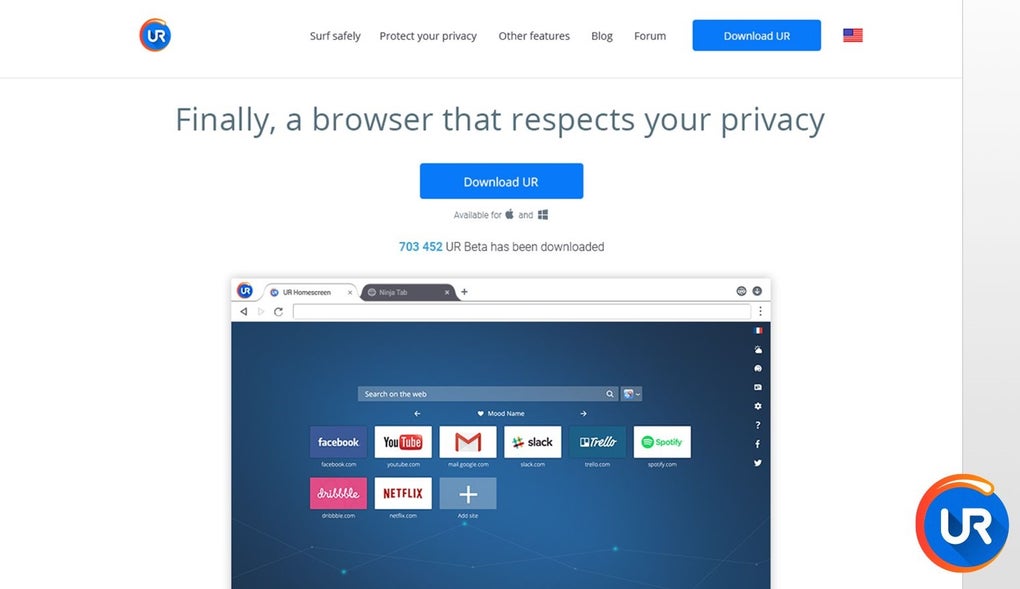
UR Browser is a Chromium‑powered web browser that aims to blend the familiarity of Google Chrome with a handful of built‑in tools designed to streamline everyday browsing. Built on the same open‑source engine that powers Chrome, UR Browser inherits Chrome’s speed, stability, and extensive extension ecosystem while offering its own visual personalization options, an integrated media downloader, and a promise of built‑in ad‑blocking and antivirus features. The interface mirrors Chrome’s clean layout, making the transition painless for users who are already comfortable with the Chrome environment.
Importing bookmarks, favorites, and even syncing settings across devices is straightforward, thanks to Chromium’s native sync capabilities. While the browser’s default search engine is Ask.com, users can quickly switch to any preferred search provider in the settings menu. UR Browser’s unique selling points revolve around its “Personalization” button that lets users tweak colors, background images, and the desktop icon, as well as a constantly active Media Downloader that appears whenever you hover over a video or image.
Although the theme library is still in its infancy, the promise of future expansions keeps the customization potential alive. In short, UR Browser positions itself as a familiar, secure, and slightly more feature‑rich alternative to the mainstream browsers, targeting users who want a little extra convenience without sacrificing performance.
Key Features of UR Browser
- Chromium Foundation: Leverages the same open‑source code as Google Chrome for speed, stability, and compatibility with Chrome extensions.
- Built‑In Media Downloader: Hover‑over download button for videos and images, with options to save video, audio‑only, or apply image filters.
- Personalization Panel: Quick access to color schemes, background images, and desktop icon changes; future theme support promised.
- Sync Across Devices: Seamlessly synchronize bookmarks, history, passwords, and extensions using your Google account.
- Ask.com Default Search: Set as the default but easily replaceable with any search engine of your choice.
- Integrated Safe Browsing: Chrome’s built‑in protection against malicious sites, complemented by advertised “Antivirus” and “Adblocker” layers.
- Quick‑Access Tiles: Address bar dropdown shows frequently visited sites with icons, acting as a hybrid between bookmarks and history.
- Extension Compatibility: Access to the Chrome Web Store while blocking potentially unstable add‑ons for added stability.
Installation, First‑Time Setup & Compatibility
Getting UR Browser up and running is a straightforward process that mirrors the installation flow of most modern browsers. Follow these steps to download, install, and configure the browser for optimal performance.
Step‑by‑Step Installation
- Visit the official UR Browser website and click the Download button that matches your operating system.
- The installer file (EXE for Windows, DMG for macOS, APK for Android) will be saved to your default download folder.
- Run the installer. Windows users will see a standard setup wizard; macOS users will drag the UR Browser icon to the Applications folder.
- Accept the license agreement and choose your preferred installation directory if prompted.
- Once installation completes, launch UR Browser from the start menu, dock, or app drawer.
Initial Configuration
Upon first launch, UR Browser greets you with a welcome screen offering the option to import bookmarks from Chrome, Firefox, or Edge. Select the browsers you want to import from, and UR Browser will automatically migrate your saved sites, passwords, and history. Next, you’ll be prompted to sign in with a Google account to enable sync across devices.
This step is optional but highly recommended for a seamless experience. In the Settings menu, you can change the default search engine from Ask.com to Google, Bing, DuckDuckGo, or any custom provider. The “Personalization” button located at the top‑right corner lets you experiment with color themes and background images right away.
System Requirements (itemprop="operatingSystem")
- Windows: Windows 10 (64‑bit) or later; at least 2 GB RAM, 200 MB free disk space.
- macOS: macOS 10.14 (Mojave) or later; 2 GB RAM, 200 MB free disk space.
- Android: Android 8.0 (Oreo) or later; 1 GB RAM, 100 MB free storage.
- iOS: Currently not available for iOS; a web‑based version is under development.
UR Browser also supports hardware acceleration for smoother video playback and takes advantage of modern CPU instruction sets to reduce memory usage. Regular automatic updates keep the browser secure and introduce new features, such as additional themes and enhanced media‑download options.
Conclusion – Should You Download UR Browser?
Pros
- Fast Chromium engine ensures quick page loads and excellent compatibility with web standards.
- Integrated Media Downloader saves time when grabbing videos or images without third‑party extensions.
- Personalization panel provides easy visual tweaks without deep settings navigation.
- Seamless sync with Google account for bookmarks, passwords, and extensions across devices.
- Built‑in safe browsing, advertised antivirus, and ad‑blocking layers add an extra security cushion.
Cons
- Limited theme library at launch; visual customization feels shallow until more themes arrive.
- Default search engine is Ask.com, which may not suit all users.
- Some Chrome extensions are blocked automatically, potentially restricting power users.
- iOS version not yet released, limiting cross‑platform coverage.
- Promised “Antivirus” feature is more of a warning system than a full‑blown security suite.
Frequently Asked Questions
Is UR Browser completely free?
Yes, UR Browser is offered as a free download with optional paid features planned for future releases. The core browser, media downloader, and personalization tools are all free.
Can I import my Chrome bookmarks into UR Browser?
Absolutely. During the first‑time setup, UR Browser prompts you to import bookmarks, passwords, and history from Chrome, Firefox, or Edge.
Does the Media Downloader work on streaming sites like YouTube?
The downloader works on most sites that serve video files directly. For platforms that use encrypted streams (e.g., YouTube), the tool may offer audio‑only extraction, but full video downloads depend on site policies.
How does UR Browser protect me from malicious websites?
UR Browser inherits Chrome’s Safe Browsing technology, which warns you about phishing and malware sites. Additionally, the built‑in “Antivirus” layer scans downloads for known threats.
Will my extensions automatically sync between Windows and macOS?
Yes. By signing in with the same Google account on each device, UR Browser synchronizes installed extensions, settings, and browsing data across Windows and macOS.
Final Verdict & Call to Action
UR Browser delivers a solid, Chromium‑based experience enriched with a handy media downloader and simple visual customization. For users who value quick media grabs and a touch of personal flair without compromising speed, UR Browser is worth a try. The current limitations—such as a modest theme selection and the absence of an iOS version—are balanced by the browser’s free price tag and continuous updates. If you’re looking for a fresh take on Chrome that adds convenience tools out‑of‑the‑box, click the download button below, install UR Browser, and explore the built‑in features that set it apart.
Download UR Browser Now – Secure, Free, and Ready for Your Next Web Session







